Import Entries
On this step, you can choose to import entries from an external source, the options are:
- Excel/CSV
- RC Race Pal
- RC Signups
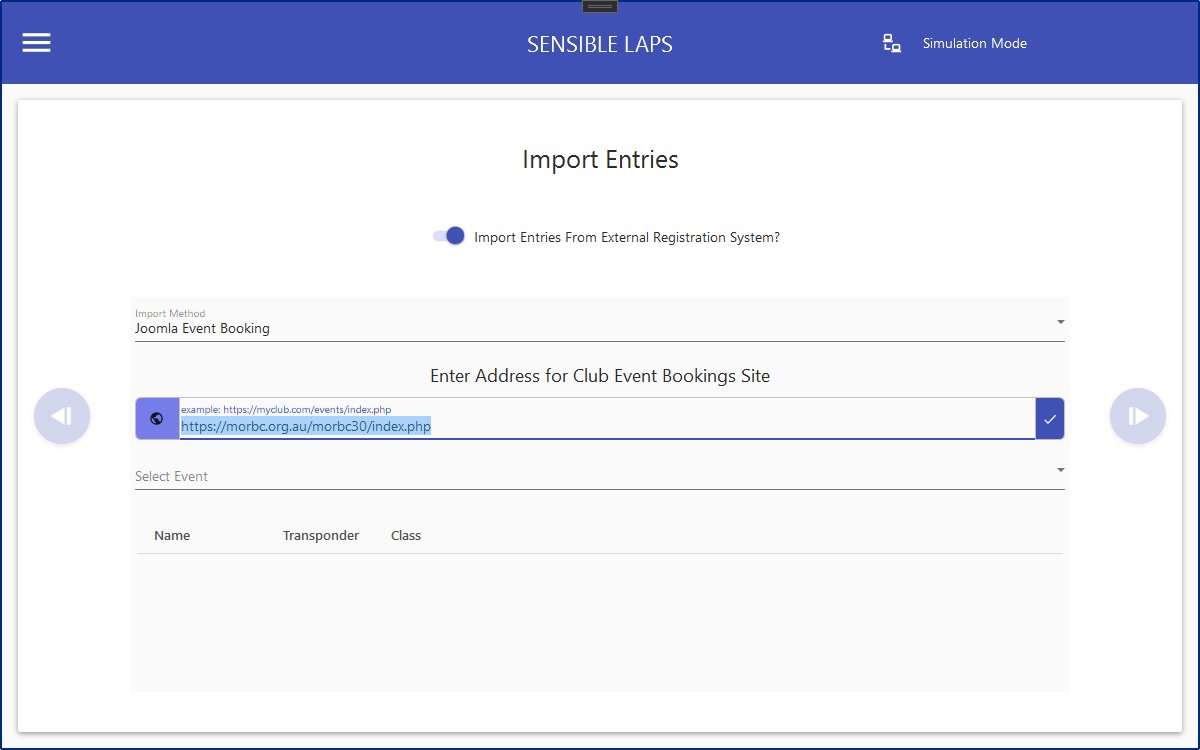
- Joomla Event Booking
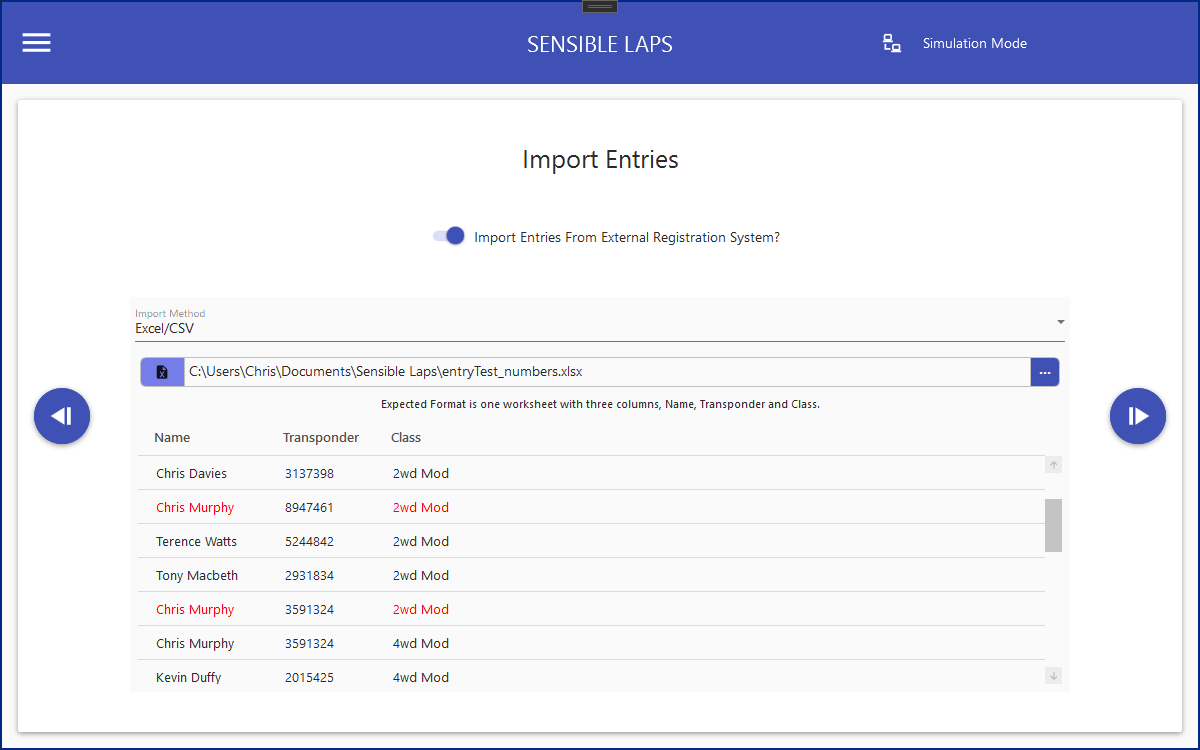
Duplicate entries (same name or same transponder used in the same class) are marked in red in the preview entry list.
Excel/CSV
Entries can be taken from an excel spreadsheet/csv file. This is useful if you are using google forms or some other online entry system that exports to a spreadsheet.
The expected column headings are Name, Transponder and Class.
You can also import a file with multiple class entries for one name with a format like
Name, Class 1, Transponder 1, Class 2, Transponder 2, Class 3, Transponder 3
Column order is not important, extra columns will be ignored. The column names are not case sensitive.
Name column must be called name. First Name and Last Name are also accepted.
Class column can be called class or division.
Transponder column can be called transponder or tx.
Once the entries are fetched they can be modified in the table on this view if required, before proceeding.
RC Race Pal
https://rcracepal.com is fantastic for managing events and even your club memberships.
Racers are able to manage all of their transponders and assign them to classes for easy reuse.
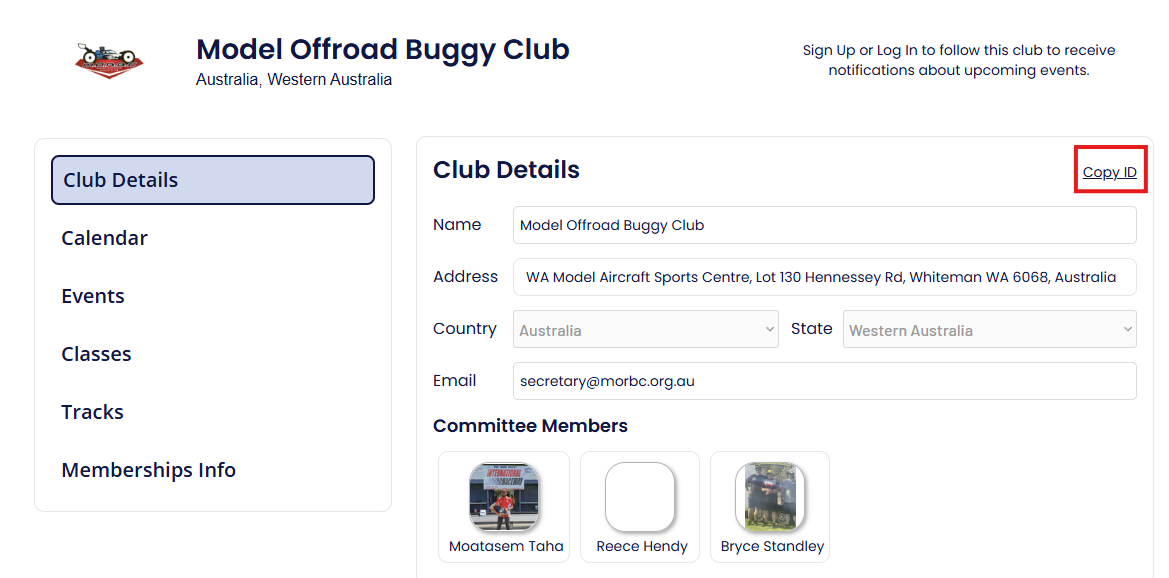
To start, go to the club page on rc race pal. There will be an option to copy the club ID. click the link and the ID will be on your clipboard.
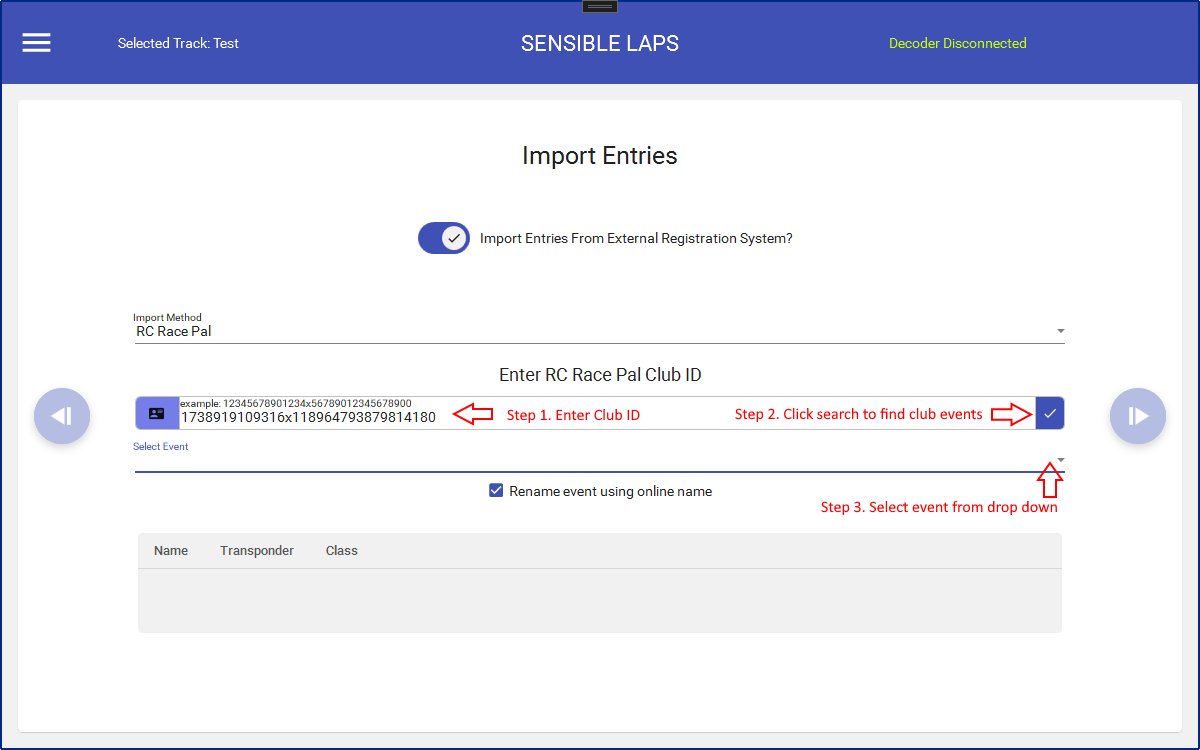
In sensible laps, choose RC Race Pal in the drop down and paste the club ID into the box
RC Signups
www.rcsignups.com is a great site for organising your events and allowing your entrants to enter online.
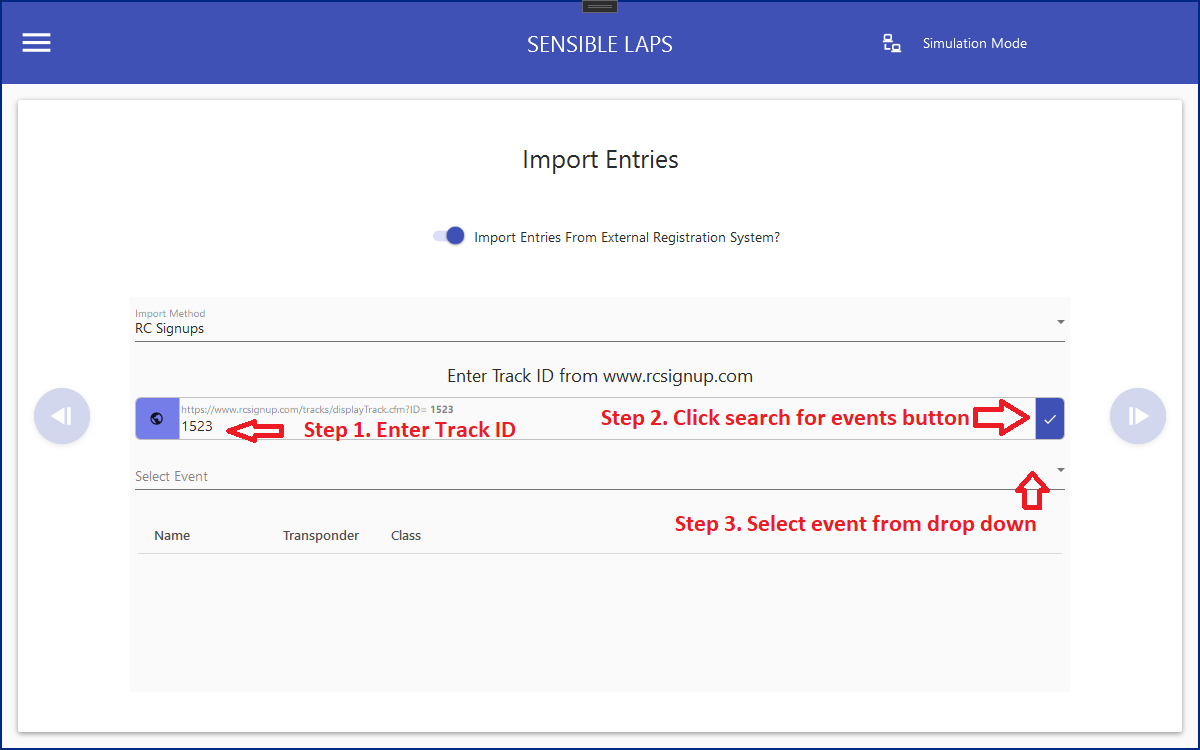
simply put the track id into the entry box and click the get events button
Joomla Event Booking
Steps are the same as for RC Signups, except instead of a track id, the url of the clubs hosted joomla events page should be entered.
Created with the Personal Edition of HelpNDoc: Free PDF documentation generator